

Download Toggl Desktop – Free Time‑Tracking Software for Windows, Mac, Linux
Overview
In today’s fast‑paced work environment, knowing exactly how you spend each minute can be the difference between meeting deadlines and constantly playing catch‑up. Toggl Desktop delivers a powerful, yet intuitively simple, time‑tracking solution that runs directly on your computer, eliminating the need for a browser tab or mobile app to log hours. Available completely free of charge, Toggl Desktop captures every click, pause, and idle moment, turning raw data into actionable insights.
The built‑in reporting engine highlights idle time, billable versus non‑billable work, and even visualizes daily productivity trends, enabling freelancers, agencies, and corporate teams to fine‑tune their workflows. Because the application lives on your desktop, it operates offline and syncs seamlessly the moment you reconnect, ensuring no data is lost. Whether you are a solo developer, a project manager juggling multiple client projects, or a creative professional looking to understand your creative flow, Toggl Desktop offers a secure, low‑overhead way to stay on top of your time and boost overall efficiency.
Key Features of Toggl Desktop
- One‑Click Timer: Start, pause, or stop tracking with a single click, making time logging frictionless.
- Idle Detection & Automatic Corrections: The app intelligently detects periods of inactivity and prompts you to classify idle time, ensuring reports reflect true work.
- Detailed Reports & Export Options: Generate weekly, monthly, or custom range reports that break down billable hours, project totals, and productivity trends; export to CSV, PDF, or JSON for further analysis.
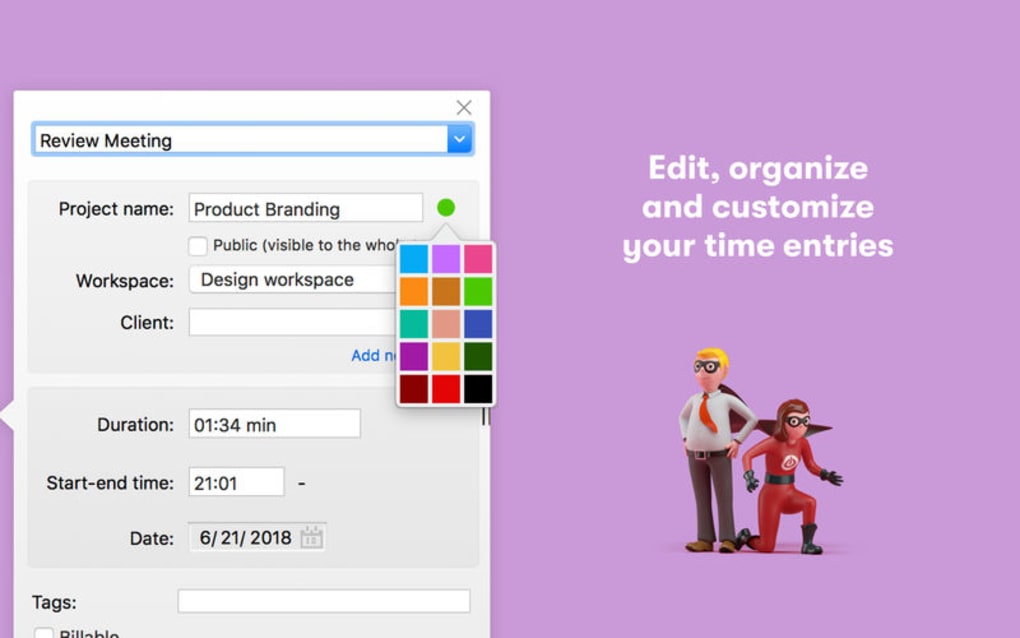
- Multiple Project & Client Management: Organize time entries by projects, tags, and clients, allowing clear cost allocation and easy invoicing.
- Offline Tracking & Seamless Sync: Works without an internet connection and automatically syncs data to the cloud once you’re back online.
- Cross‑Platform Consistency: Identical feature set across Windows, macOS, and Linux, guaranteeing a uniform experience no matter the OS.
- Keyboard Shortcuts & Pomodoro Integration: Power users can leverage customizable shortcuts and built‑in Pomodoro timers to stay focused.
- Secure Data Handling: All data is encrypted in transit, and Toggl adheres to GDPR standards, giving you confidence that your work logs remain private.
- Free Tier with Unlimited Users: Unlike many competitors, Toggl Desktop’s free plan supports unlimited team members, making it ideal for startups and small agencies.
Installation, Setup, and Daily Usage
Step‑by‑Step Installation
Getting Toggl Desktop up and running is straightforward. Visit the official Toggl website, navigate to the Downloads page, and select the installer that matches your operating system (Windows, macOS, or Linux). For Windows users, download the .exe file; macOS users receive a .dmg package; Linux enthusiasts can choose a .deb or .rpm file, or even a portable AppImage. Once downloaded, run the installer and follow the on‑screen prompts—accept the license agreement, choose an installation folder, and click Finish. The first launch will prompt you to log in or create a free Toggl account; this step synchronizes your local data with Toggl’s cloud, enabling cross‑device continuity.
Configuring Your Workspace
After logging in, you’ll be greeted by the main dashboard. Begin by creating your first Workspace, a container for all projects, clients, and team members. Within the workspace, add Projects and assign them to specific Clients if needed. Tagging is optional but highly recommended for granular tracking (e.g., “design”, “review”, “testing”). The settings menu allows you to customize idle detection thresholds, choose your preferred time format, and configure keyboard shortcuts that match your workflow.
Daily Time‑Tracking Workflow
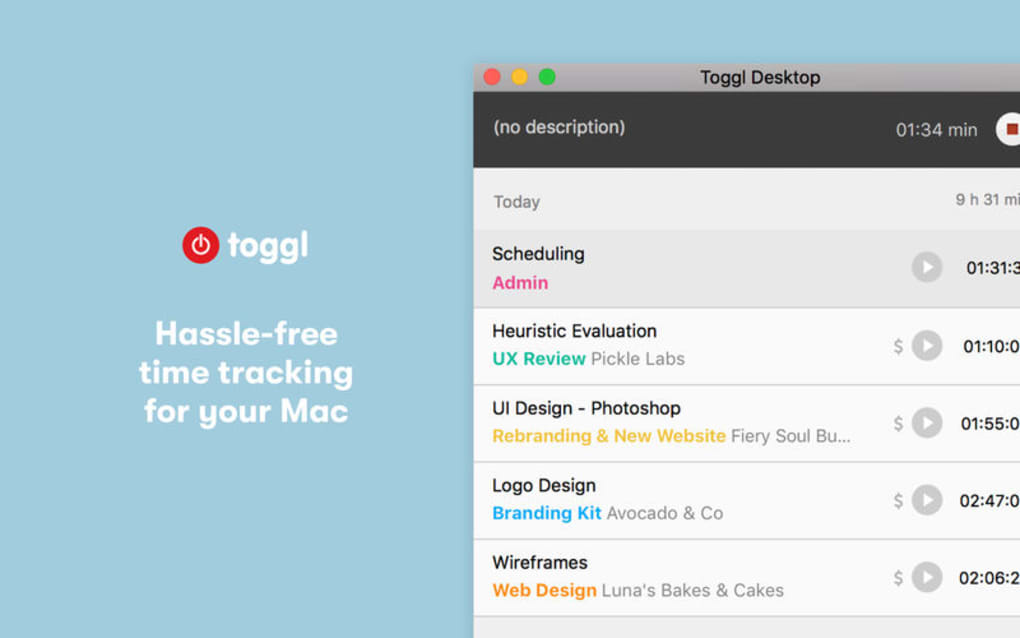
The core of Toggl Desktop’s utility lies in its ease of use during the workday. Click the large “Start” button to begin a new entry; you can immediately assign the entry to a project, add tags, or leave it generic. If you need to switch tasks, simply click “Stop”, then “Start” a new timer.
The “Idle Detection” feature will pop up a dialog after a period of inactivity (default 5 minutes), asking whether to keep, discard, or edit the idle period. This ensures that accidental breaks don’t inflate billable hours. At any point, you can view a real‑time summary of today’s tracked time in the top right corner, or open the “Reports” tab for deeper insights.
Export options are available with a click, allowing you to generate invoices or share productivity snapshots with stakeholders.
Troubleshooting Common Issues
Because Toggl Desktop operates offline, the most common hiccup is a delayed sync after reconnection. If you notice missing entries, click the “Sync Now” button in the upper toolbar. For keyboard shortcut conflicts, revisit the settings and reassign keys. On Linux, ensure you have the required libqt5gui5 dependency installed; the installer will usually prompt you if something is missing. Overall, the support community and official help center provide quick solutions for any edge cases.
Compatibility, System Requirements, and Platform Support
Toggl Desktop is built with cross‑platform compatibility at its core. The application runs natively on the three major desktop operating systems:
- Windows 10, 11 (64‑bit) – Minimum 2 GB RAM, 200 MB free disk space.
- macOS 10.15 (Catalina) and later – Minimum 2 GB RAM, 200 MB free disk space.
- Linux distributions – Ubuntu 18.04+, Fedora 30+, Debian 10+, and other modern distros; requires Qt5 libraries.
Because Toggl Desktop is a lightweight native app, it consumes minimal CPU and memory resources, making it suitable for older machines as well as high‑performance workstations. The software automatically updates in the background, ensuring you always have the latest security patches and feature enhancements without manual intervention. For organizations with strict IT policies, the installer can be deployed via standard software distribution tools (e.g., SCCM for Windows, Jamf for macOS, or apt/yum for Linux). Additionally, Toggl Desktop integrates with popular project management tools such as Asana, Trello, and Jira through its web API, extending its usefulness beyond the local machine.
Pros, Cons, and Frequently Asked Questions
Pros
- Free, unlimited users – perfect for small teams and freelancers.
- Offline‑first design guarantees no data loss when internet is unavailable.
- Comprehensive idle detection keeps reports accurate.
- Cross‑platform consistency ensures a uniform experience on Windows, macOS, and Linux.
- Robust export options and detailed analytics support invoicing and performance reviews.
- Secure, GDPR‑compliant data handling builds trust with privacy‑conscious users.
Cons
- Advanced reporting dashboards (e.g., timeline view) are reserved for paid plans.
- Native mobile time‑tracking requires the separate Toggl Track mobile app.
- Some users report occasional sync delays on very large workspaces.
- Limited customization of UI themes; only light and dark modes are available.
FAQ
Is Toggl Desktop really free for unlimited users?
Yes. The free tier of Toggl Desktop allows unlimited team members, projects, and clients. Premium features such as billable rates, advanced reporting, and team scheduling are part of Toggl’s paid plans, but basic time‑tracking remains completely free.
Can I use Toggl Desktop on multiple computers with the same account?
Absolutely. Since all entries are synced to your Toggl cloud account, you can install the desktop app on any number of devices. Just log in with the same credentials, and your data will merge automatically.
How does idle detection work, and can I adjust the sensitivity?
Idle detection monitors keyboard and mouse activity. After a configurable period of inactivity (default 5 minutes), Toggl Desktop pauses the timer and prompts you to confirm, discard, or edit the idle segment. You can change the idle threshold in Settings > Idle Detection.
Is my data secure while using Toggl Desktop?
All data transmitted between the desktop client and Toggl’s servers is encrypted with TLS 1.2+. The service complies with GDPR, and you can enable two‑factor authentication for added account protection.
Can I integrate Toggl Desktop with other tools like Asana or Jira?
Yes. While direct integration is handled through Toggl’s web platform, you can connect your Toggl account to Asana, Trello, Jira, and many other services via the Toggl Integrations page or by using the public API for custom workflows.
Review Summary
Toggl Desktop stands out as a reliable, free time‑tracking solution that balances simplicity with powerful reporting. Its offline‑first architecture and robust idle detection make it especially appealing to freelancers and distributed teams who need accurate logs without constantly staying online. While the free version lacks some advanced analytics, the core feature set is more than sufficient for most productivity needs. Overall, Toggl Desktop earns a solid 4.6 out of 5 stars for its ease of use, cross‑platform support, and commitment to data security.
Conclusion – Why You Should Download Toggl Desktop Today
If you’re searching for a secure, free, and truly cross‑platform time‑tracking tool, Toggl Desktop checks every box. Its one‑click timer, intelligent idle detection, and detailed reporting empower you to understand exactly how you spend each workday, helping you eliminate wasted time and bill clients more accurately. The offline capability ensures you never lose a single second, while seamless synchronization keeps your data consistent across all devices. Whether you’re a solo consultant, a growing agency, or a large corporation looking to instill better time‑management habits, Toggl Desktop provides a scalable foundation without any upfront cost. Download Toggl Desktop now, set up your first workspace in minutes, and start turning minutes into measurable productivity.
Ready to boost your efficiency? Click the download button below, install the app on your preferred OS, and join millions of professionals who trust Toggl to track their time accurately and securely.
Download Toggl Desktop for Free






